DentalMagic · Smile & Aesthetics

See what your new smile could look like.

You have probably wondered what your teeth would look like straighter, whiter, or a little more even — without knowing where to start, or what it would involve. Start with a picture of it. Upload a photo of your smile, choose what you would like to change, and see a preview in seconds. Then take it to your dentist and talk about the real options together.

Seconds

from your photo to a smile preview

1 photo

your own smile, not a model’s

3

things you can preview: alignment, shape, colour

Free

no account fee, nothing to buy
What you can preview

Three things people usually want to change.

Most people cannot name what bothers them about their smile — they just know something is off. These are the three directions a preview can show you, so you can put words on it before you sit in the chair.

Clear aligners

Teeth that overlap, lean or leave a gap. The preview shows you what your own smile could look like once things line up — and gives you something concrete to ask your dentist about, instead of a vague “can my teeth be straightened?”.

Veneers & laminates

Teeth that are chipped, worn, too short or uneven in shape. Seeing a preview of a more regular smile helps you tell your dentist what you actually want — length, proportion, how visible you want the change to be.

Whitening

Coffee, tea, tobacco, years. Colour is the change people notice first and describe worst. A preview lets you point at a shade rather than say “whiter, but not fake”.
How it works

A photo, a preview, a conversation.

No appointment to book, nothing to install, no dental vocabulary required. Three steps, on the phone you already have in your hand.

Take one photo of your smile

Face the light, smile the way you normally do, and take the picture — or use one you already have. It is your own mouth that gets previewed, which is the whole point.

Choose what you would change

Alignment, shape, colour — select one, look at the preview, then try the next. You see each idea on your own face and decide what you like before anyone talks about treatment.

Take it to your dentist

Save your preview and bring it to your next appointment. Your dentist can see what you have in mind in five seconds, and tell you what is realistic for your teeth, your gums and your budget.
At the appointment

Walk in knowing what to ask for.

The hardest part of a first aesthetic appointment is describing what you want. Words like “nicer”, “more natural” or “not too white” mean something different to everyone in the room, and most people leave with a plan they never quite pictured.
A preview replaces the description. You show it, your dentist looks at your actual teeth, and the conversation starts from something you both can see.
Being straight with you

It is a preview, not a promise.

A preview is a picture of an idea. It shows a direction — straighter, more even, lighter — on your own face, so you can decide whether you like the direction at all. It does not know what is under the gum, how your bite closes or what your enamel will take.
Only a certified dentist can examine your mouth, tell you which treatments apply to your case, and set out what the result will realistically be. Bring the preview; let them do the diagnosis.
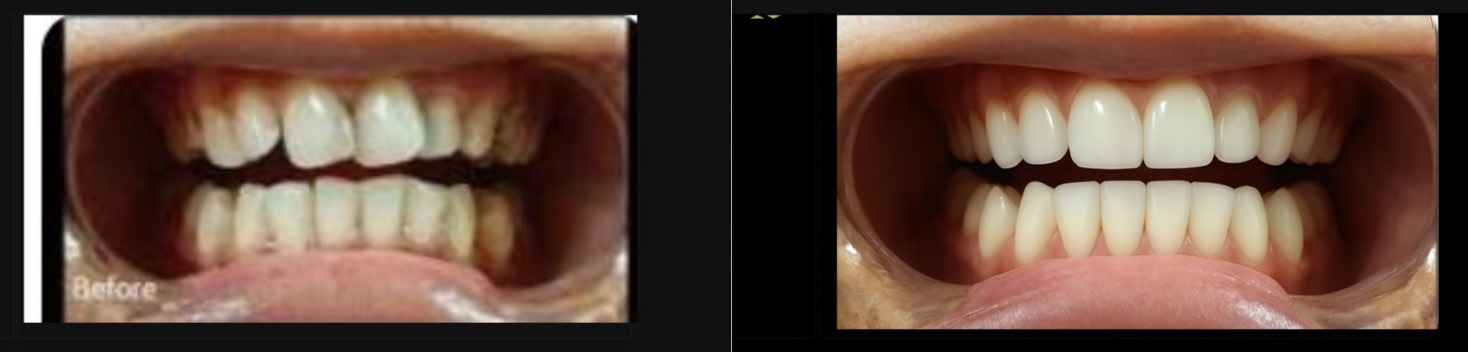
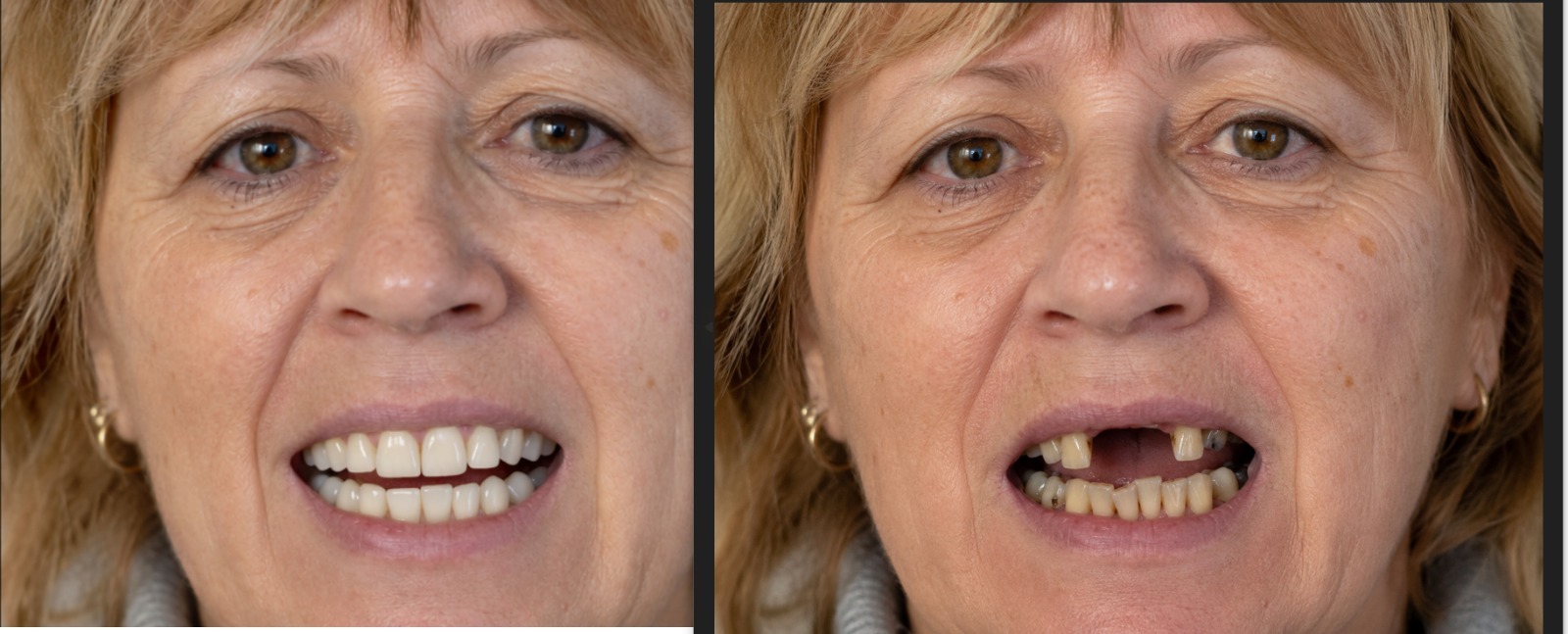
After — DentalMagic preview
Before
After Before
Your smile, in a few seconds

Curiosity first. Appointments later.

One photo is enough to stop wondering. Look at your own smile the way you have been imagining it, keep the preview, and take it to your dentist when you are ready.
Do a test online — available from July 1, 2026
A DentalMagic preview is an illustration intended to support the conversation with your dentist. It is informational and explanatory only, it is not a certified medical diagnostic device, and it does not guarantee the final aesthetic result. Only a certified practitioner can establish a diagnosis and a treatment plan after examining your mouth.
Quick question? Chat with us on WhatsApp